Experience and Visual Design for ProSentry’s Smart Building Resource Center
Centralized Resource Hub to Empower Property Managers with Real-Time Building Intelligence
Real-World Web App Project for ProSentry
Role
Lead UX/UI Designer
Team
4 people (Designer, Creative Director, Account Manager, Developer)
Timeline
4 weeks + Strategic Pivot
Skills
Experience Design, Visual Design, Prototyping
24/7 Building Protection for Multi-Tenant Properties
ProSentry is a smart building monitoring platform that streamlines real-time detection, information, and alerts for residential and commercial multi-tenant real estate properties. The platform uses wireless IoT sensors to detect water leaks, gas leaks, mechanical malfunctions, and environmental issues, instantly notifying property managers via text, email, or app to prevent costly damage and improve building safety. By providing proactive 24/7 monitoring, ProSentry helps property managers protect their buildings, reduce maintenance costs, and ensure tenant safety.
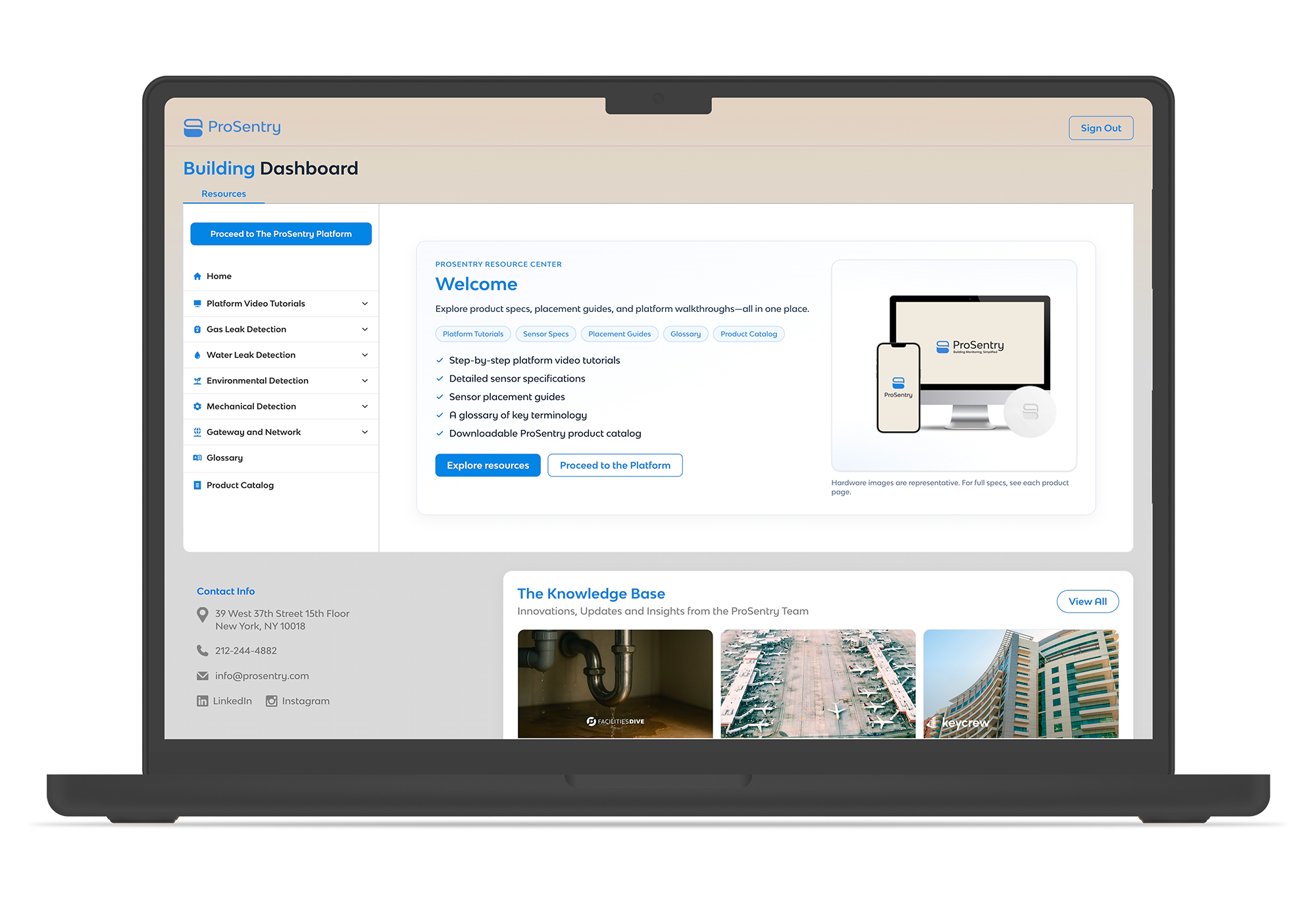
Experience Design & Visual Interface for ProSentry Dashboard
This project focused on end-to-end experience and visual design, encompassing wireframing, prototyping, and brand integration to create an intuitive resource center dashboard. My work centered on translating complex building monitoring needs into a clear, accessible interface that serves both property managers and internal teams.
Building a Centralized Knowledge Base to Streamline Onboarding
and Support
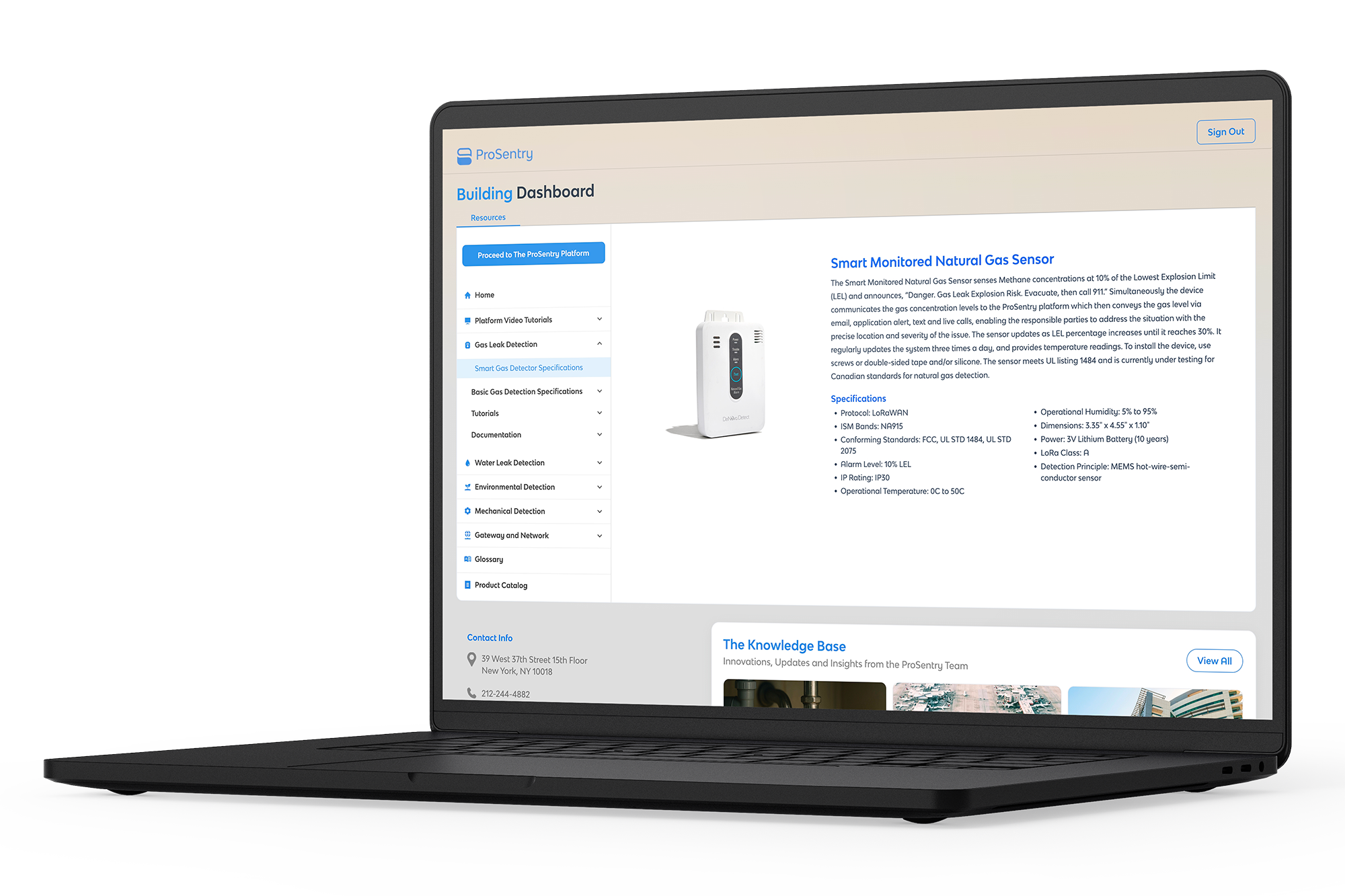
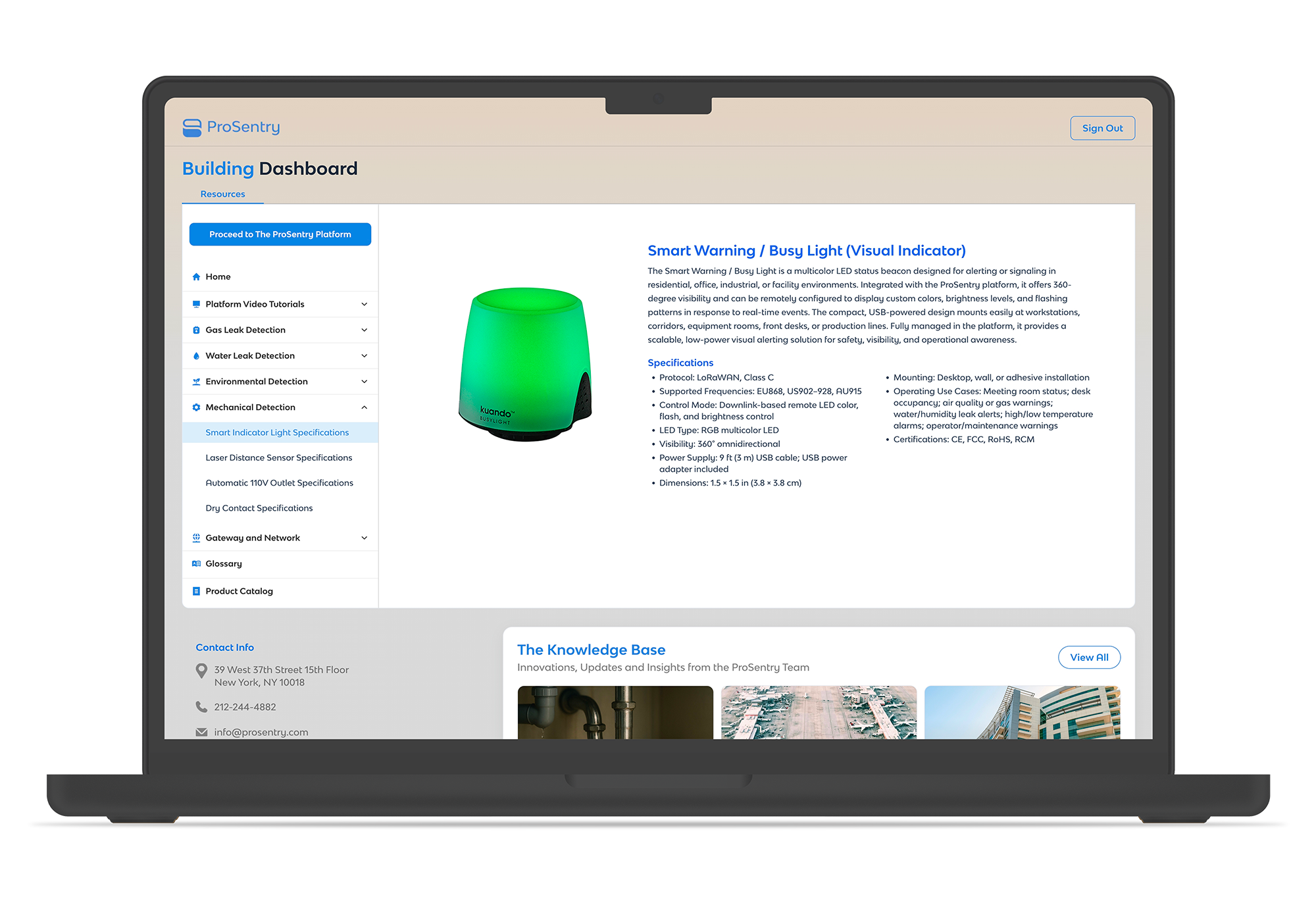
The purpose of this project was to create a resource center hub where property managers could understand the tools and equipment they'd be using to set up their buildings. Simultaneously, the dashboard needed to serve as an informational hub for ProSentry's internal team to access all their resource needs efficiently. The challenge was designing a unified interface that could effectively serve two distinct audiences—external clients and internal staff—while maintaining clarity and usability for both groups.
Leading Design in a Cross-Functional Team
I was in charge of leading the experience and visual design of this dashboard from concept through final prototype. The team consisted of myself as the lead designer, a creative director who managed client relationships and strategic direction, an account manager who handled project coordination, and a developer who would implement the final design. This collaborative structure required clear communication and alignment across all stakeholders to ensure design decisions met both user needs and technical feasibility.
4-Week Sprint, Technical Pause, Strategic Pivot
I spent 4 weeks developing the initial design and handed it off to the developer, only to discover technical constraints on the client's end. The client informed us that obtaining the necessary webhooks to display real-time monitor data would require significantly more work than anticipated, and the project was put on pause. Originally, the dashboard was meant to display all live monitoring information from their IoT sensors. When we returned to the project after several months on hold, the scope had evolved—relaunching in the fall as a resource center focused on educational content, setup guidance, and documentation rather than real-time data visualization. This pivot required adaptability and a willingness to reimagine the project's core purpose while maintaining its value to users.
What Was Done
Defining Requirements & Setting Design Direction
I connected with our creative director to determine which key features would be needed for an MVP (minimum viable product). I took this approach because I trusted that our client was already familiar with the tools their team and their clients' teams needed to use—specifically the monitors installed in their buildings—and understood what features would be essential for executing day-to-day tasks.
Through these alignment sessions, I asked detailed questions about the MVP requirements before and during the wireframing phase to ensure both the creative director and I stayed aligned on client expectations. The result was a clear, focused brief that outlined the MVP scope needed to fulfill their dashboard requirements.

Visualizing the Experience Through Mid-Fidelity Wireframes
I then laid out initial wireframes to ensure our product would help streamline the day-to-day tasks needed by both property managers and the internal team. I wanted to translate the ideas I had discussed into Figma and ensure that each tool, feature, or function accurately represented how we could solve their problems.
Using Figma and referencing competitor dashboards for best practices, I created mid-fidelity wireframes that mapped out user flows and key interactions. The result was positive first-round feedback confirming we were on the right track, along with actionable suggestions for refinements.
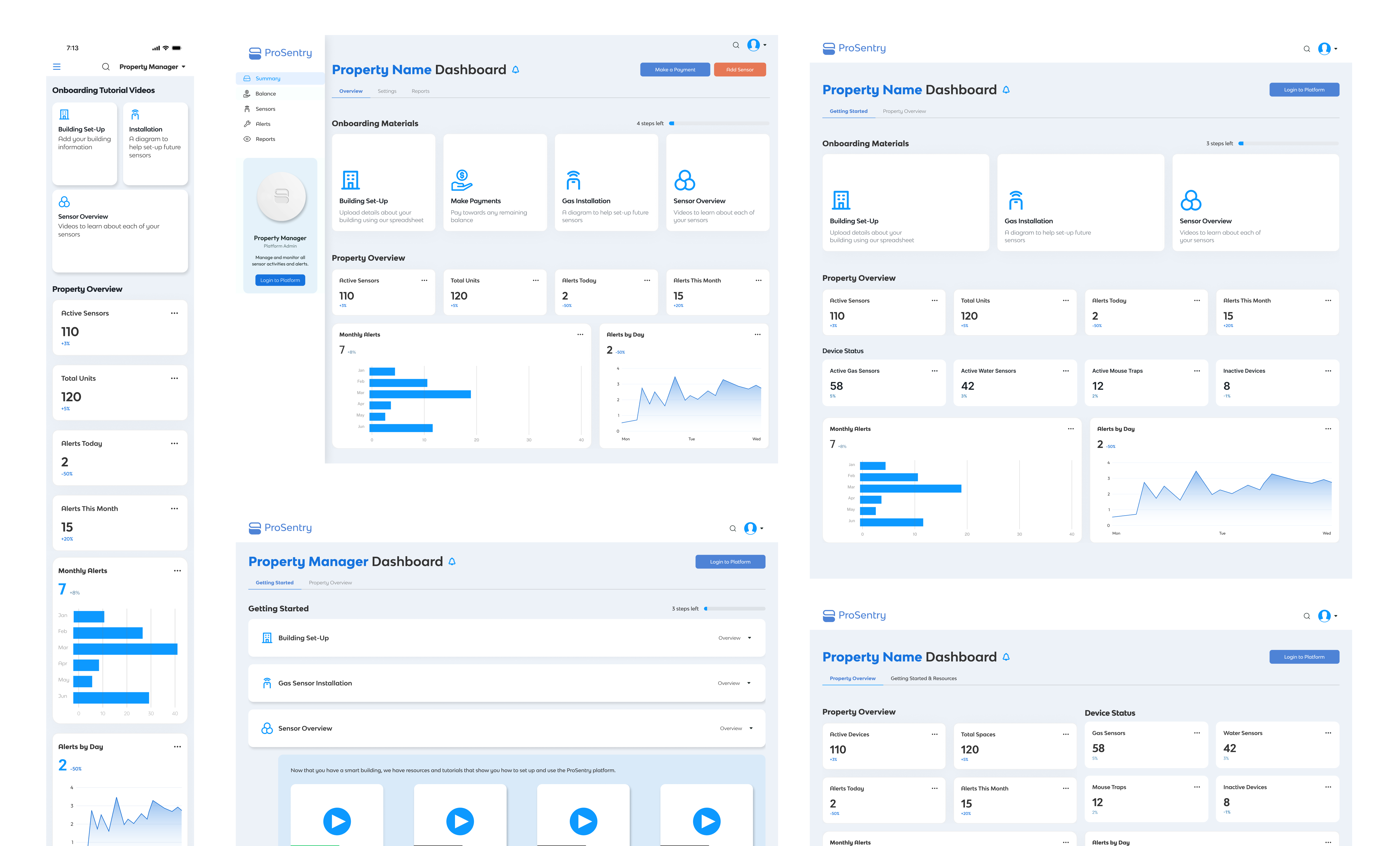
Creating a Developer-Ready Prototype with Full Brand Implementation
I then made several iterations and began integrating ProSentry's branding elements to bring the dashboard to life and prepare it for developer handoff. I prioritized this because it's essential to follow a consistent system of visual and brand guidelines, ensuring we adhered to our client's established brand identity.
The client had an established brand guide, which I carefully referenced and wove into the wireframes using Figma. I applied their color palette, typography, iconography, and visual style systematically throughout the design.
Through this phase, I expanded my prototyping capabilities in Figma and learned that the closer I can get to a realistic representation of the final product, the more excited and confident the client becomes —which builds trust, strengthens relationships, and leads to future work and loyalty.
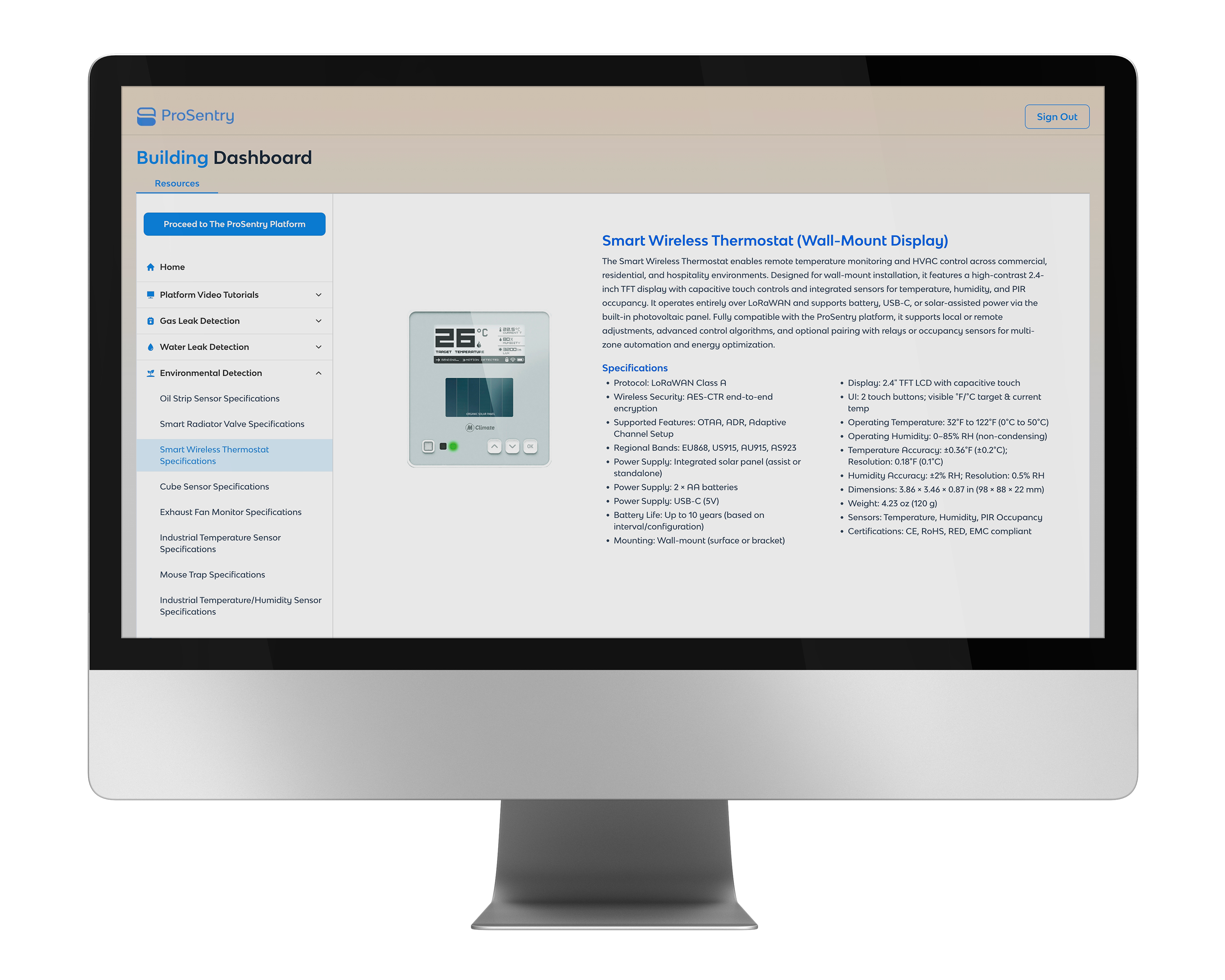
Outcomes & Results
This project reinforced several valuable lessons that will inform my approach to future work. I learned the importance of asking thorough questions at the beginning of a project and continuing to ask them throughout the design process to ensure we're addressing all emerging problems and staying aligned with client expectations.
I also learned that roadblocks and scope changes are common—especially in large, complex projects like this one—and that flexibility and adaptability are essential skills for a designer. Being prepared to change course at any moment, while maintaining focus on user needs and project goals, is critical to delivering successful outcomes even when circumstances shift unexpectedly.
Despite the technical pause and strategic pivot, the final resource center dashboard successfully met the evolved needs of both property managers and ProSentry's internal team, demonstrating that strong design thinking and collaboration can navigate uncertainty and still deliver meaningful value.